 Available now · iPhone · Free
Log naps and nights with one tap, see when the next sleep should start, and plan the day back from bedtime. Napwave starts from age-based guidance and learns your child's own rhythm as you go.
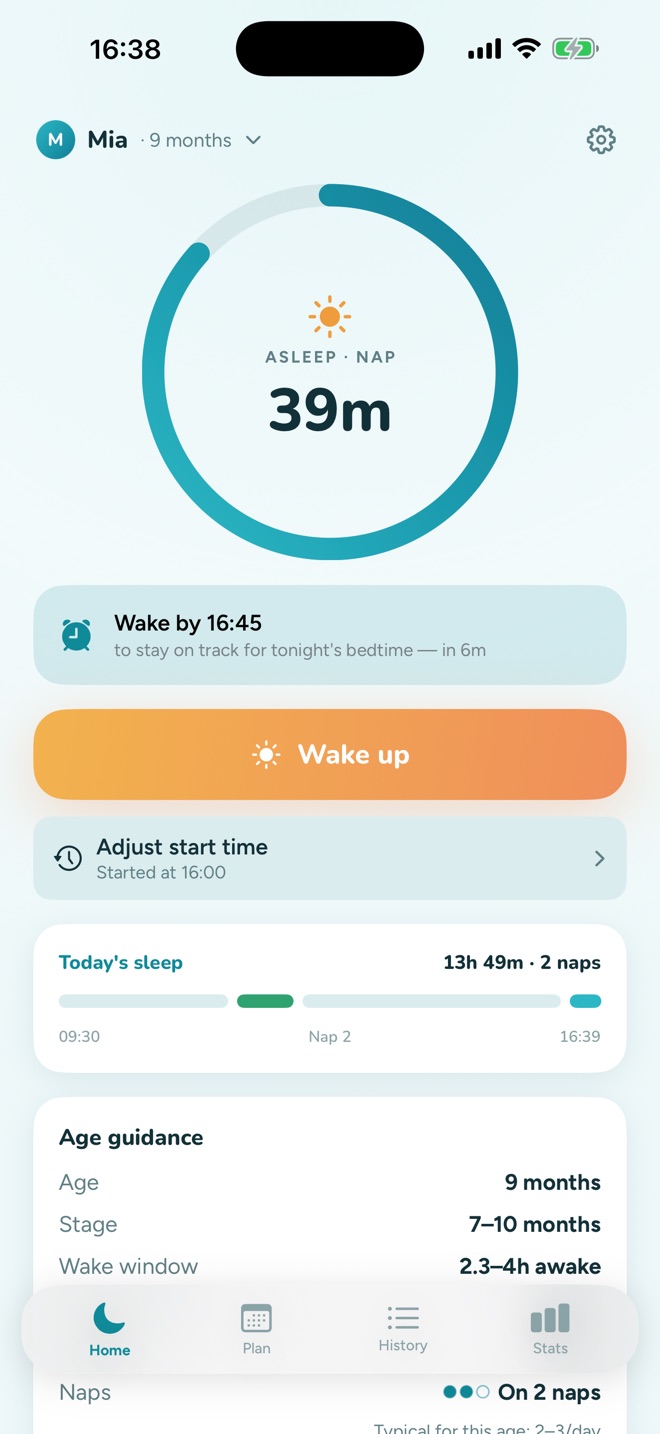
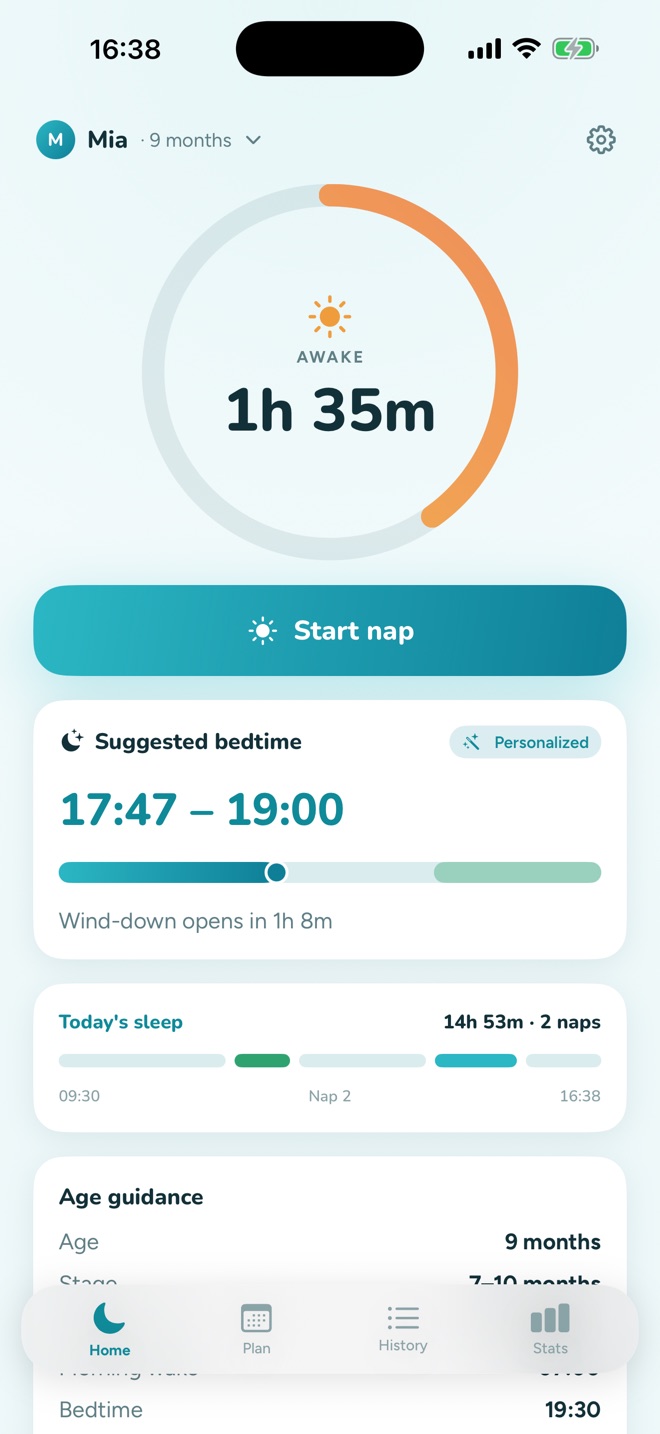
Napwave suggests a window for the next nap or bedtime from age-appropriate wake windows. As you log, it learns your child's own rhythm, and the window tightens as their days get more regular.
One button starts the sleep and one ends it. A live timer runs on the Lock Screen and in the Dynamic Island, and while a nap runs you can see when to wake your child to keep bedtime on track.
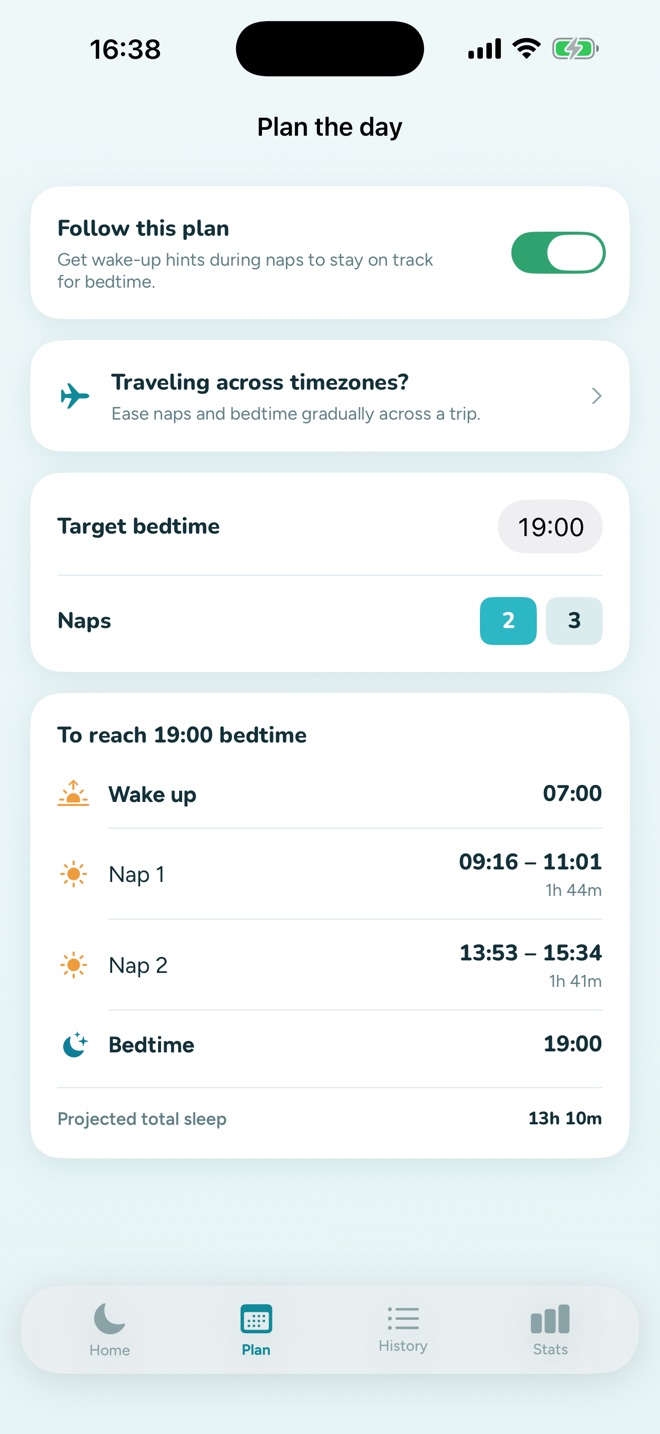
Pick a bedtime and a number of naps, and Napwave lays out wake-up, each nap and bedtime. Bedtime drifting late? It eases it earlier in gentle 15-minute steps.
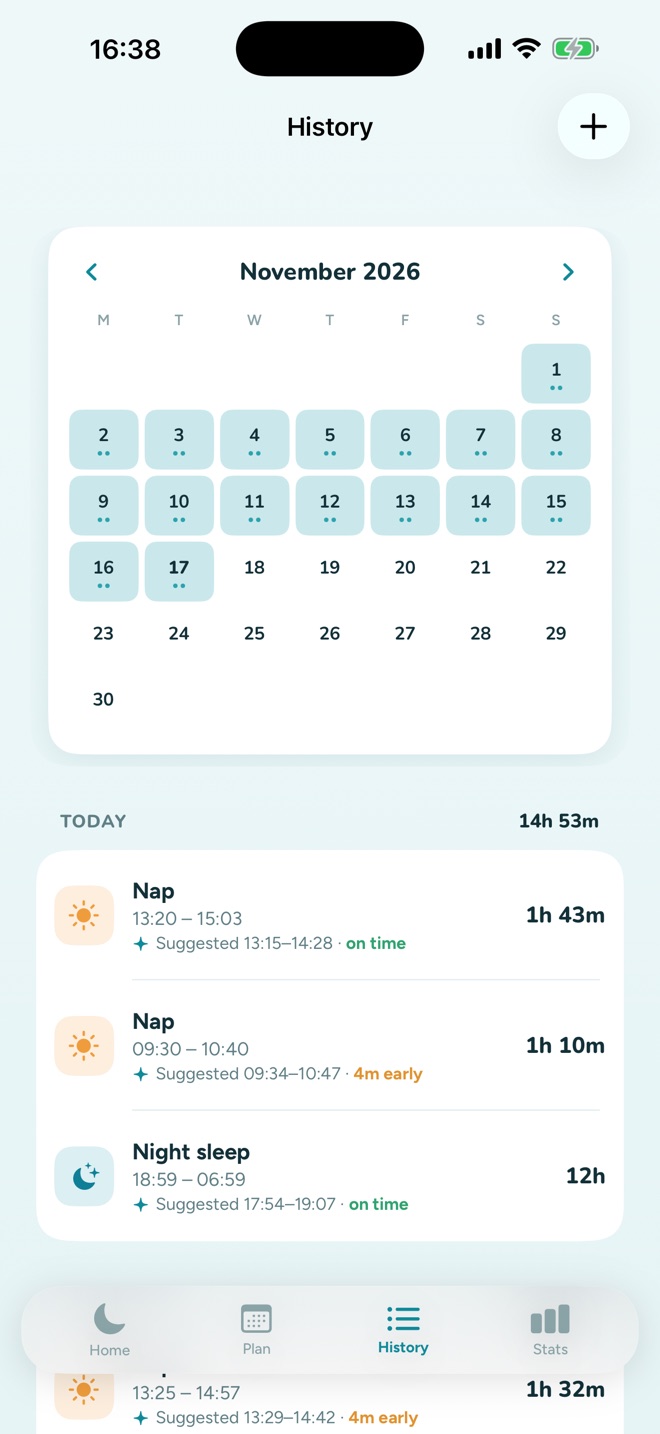
Every sleep is kept in History, with a calendar, day totals and a check of whether it started on time. Tap one to correct it, or add one you forgot.
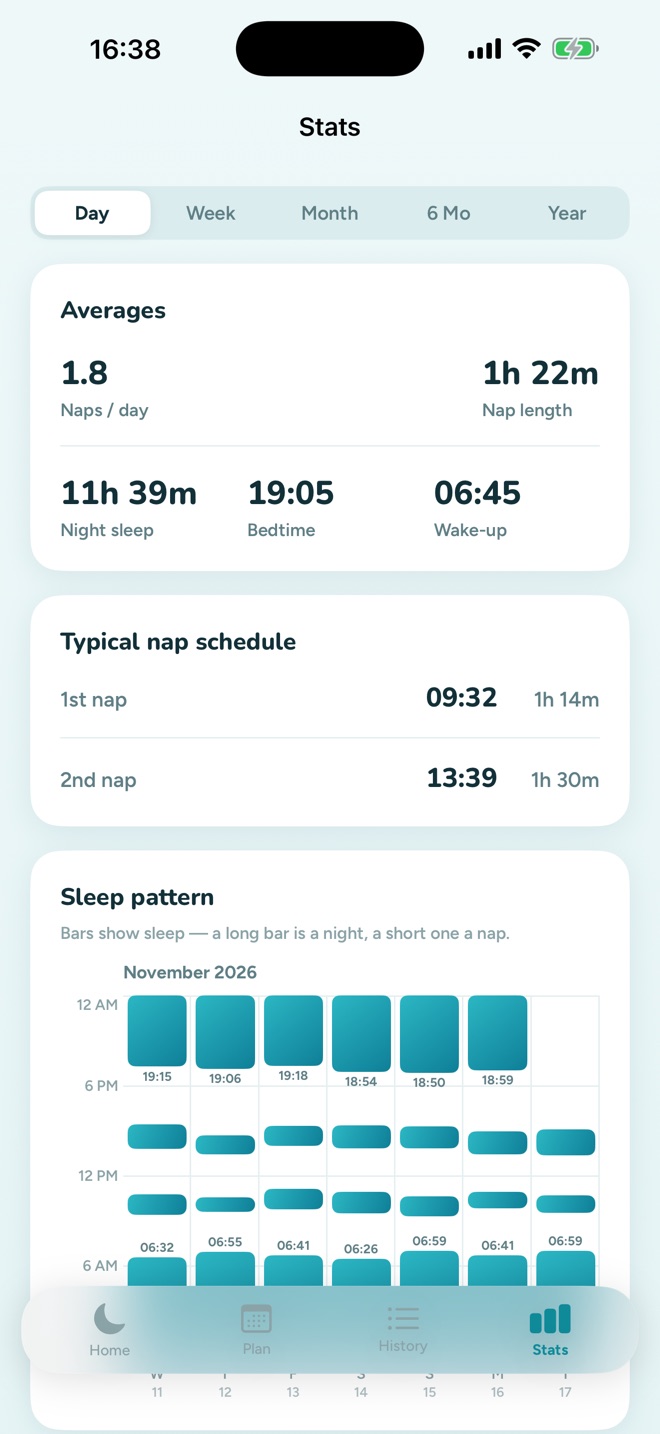
Naps per day, nap length, night sleep, bedtime and wake-up for the last week, month, six months or year, with your child's typical nap schedule and a sleep pattern chart.
Napwave keeps everything on your iPhone, and in your own iCloud account if you turn on backup. Nothing comes to us.
Nothing to sign up for. Add your child and start.
Your child's details and every sleep are stored on your iPhone.
Turn on backup and it goes to your own iCloud account. We cannot see it.
No tracking and no ads. Nothing about you or your child comes to us.
As many children as you like, each with their own history and plan.
Crossing timezones? Naps and bedtime ease over to the new time gradually.
Optional reminders when the sleep window opens and when it is time to wake.
Forgot to log? Add or correct any past sleep in History.
Export a child's history as a file and import it on another iPhone. Nothing is duplicated.
Wake windows, nap counts and bedtimes for your child's age, always at hand.
Every feature, from day one. No in-app purchases, no subscription, no account and no ads.
On the App Store, free. Choose "Download on the App Store" on this page, or search for Napwave in the App Store on your iPhone.
Nothing. Napwave is free, with every feature included: no in-app purchases, no subscription and no ads.
It starts from typical wake windows for your child's age, then blends in their own rhythm as you log sleeps. After about a week of logging, the suggestions are based on your child.
No. Napwave offers general, age-based sleep suggestions, not medical advice. Talk to your pediatrician about any concerns about your child's sleep or health.
Not with iCloud Backup & Sync on: your data comes back when you install Napwave on a new iPhone with the same Apple Account. You can also export your data from Settings any time.
Napwave has no account, no server and no analytics. Your data stays on your iPhone, and in your own iCloud account if you turn on backup.
Napwave is free on the App Store for iPhone, with every feature included.
Get it on the App StoreScreenshots show a made-up child. Napwave offers general, age-based sleep suggestions, not medical advice. iPhone and iCloud are trademarks of Apple Inc.